Introduction
If you’re shopping for a new phone, pay-as-you-go plan or contract, one of the first things you’ll need to consider is how much data you’re going to need. After all, most phone deals now include unlimited minutes and texts as standard. This means the price you pay will depend mainly on the phone model, and your data consumption.
30GB might seem like a lot at first, but if you don’t know what you can do with this much data, it’s hard to decipher whether it might be too little, or too much for your requirements. Making sure you’re getting exactly the right plan for your needs will ensure you don’t over-pay for your plan, or end up with extra fees to pay at the end of each month.
So, how much is 30GB of data?
How long does 30GB of data last?
|
How many hours will 30GB last?
|
|
Internet browsing
|
330 hours+
|
|
Music listening
|
195-2,775 hours, depending on quality
|
|
Watching video
|
10 hours to 180 hours, depending on quality
|
|
Browsing social media
|
330 hours scrolling
|
|
Video calls
|
30-240 hours
|
30GB of data is definitely a lot of data depending on how you’re going to be using your phone. Ultimately, you should be able to spend countless hours browsing the internet and interacting with contacts using this amount of data.
In fact, Ofcom’s Communications Market Report for 2025 found that people on average use 10.6GB of mobile data per month, so 30GB gives you way more than that to play with. That said, Three found that during the first half of 2024, its customers used on average 30.5GB per month, so some people definitely use a lot more than that.
Spusu SIM Deal
1GB Data
500 Mins
500 Texts
£2.90 a month1 month contract
Lyca Mobile SIM Deal
6GB Data
Unlimited Mins
Unlimited Texts
£3.00 a month1 month contract
Lyca Mobile SIM Deal
30GB Data
Unlimited Mins
Unlimited Texts
Internet browsing
|
Normal internet browsing
|
|
30GB of Data
|
Around 330 hours (10,240 web pages)
|
30GB of data equates to around 30,000MB. If you mainly use your phone to browse the internet, 30GB will give you more than enough access to all of the pages you want to view. After all, the average web page only consumes about 3MB of data or less. This means with 30GB, you can view well over 10,000 web pages, or browse for upwards of 330 hours!
Audio data
|
Songs streamed on Spotify
|
|
30GB of data
|
Around 4,050+ songs
|
Streaming audio is a little more data-intensive for the average smartphone than viewing a website page. If you’re streaming music or podcasts on your smartphone, the amount of data you use will depend on three things: the length of the file, the audio quality, and your streaming platform.
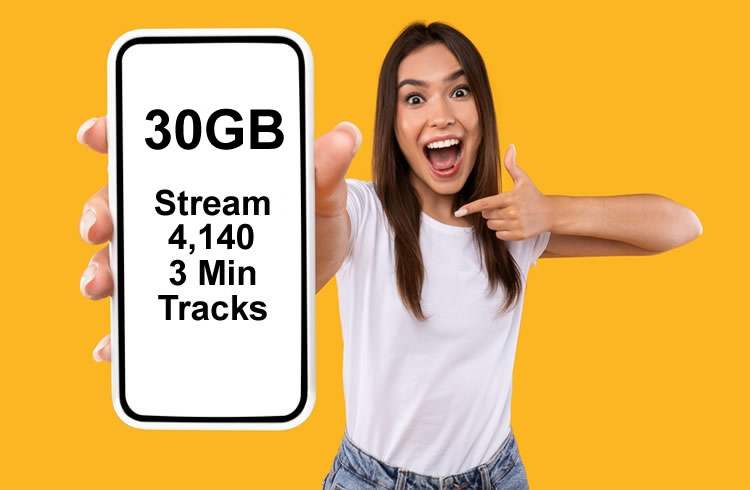
Let’s use Spotify as an example. A 320kbps song on Spotify will consume 2.4MB of data each minute. That means one 3-minute song should use 7.2MB of data. If you like to listen to music in this high a quality, you should be able to listen to around 4,050 3-minute tracks.
If you adjust your stream to a lower quality, you’ll use less data, which means you can listen to more songs. For instance, streaming a 3-minute track at 96Kbps will only consume 2.16MB of data.
Here’s a run-down of what you’ll spend data-wise per hour for each quality option on Spotify:
- Lossles: 600MB-1GB per hour
- 320kbps: 144MB per hour
- 160kbps: 72MB per hour
- 96kbps: 43.2MB per hour
- 24kbps: 10.8MB per hour
Video data
|
Netflix video streaming (on phone)
|
|
30GB of data
|
Up to around 90 Netflix films
|
As you may imagine, videos are even more data-intensive than songs, because you’re accessing video and audio at the same time. Once again, the amount of data you use depends on your quality choice, video length, and streaming service. Netflix, for instance, claims you can watch 4 hours of content for every 1GB of data using the ‘Automatic’ quality settings.
This means 30GB should get you 120 hours of content, or around 60 2-hour films. If you switch to ‘Data Save’ mode on Netflix, you can get up to 6 hours of content for every gigabyte, which equates to 180 hours of content, or around 90 2-hour films.
Note that data consumption on other streaming apps will vary a bit, so you might be able to watch more or less than this elsewhere, but the Netflix figures give you a good ballpark.
Social media data
|
Social media use examples for 30GB of data
|
|
Browsing social media
|
Around 300 hours
|
|
WhatsApp video calls
|
30-150 hours of chat time
|
|
FaceTime video calls
|
75-240 hours of chat time
|
|
Photos on WhatsApp
|
Tens of thousands
|
If, like many people, you use your phone for social media, the amount of data you’ll use will depend on which apps you use, and how you access them. You can for example send over 3 million WhatsApp messages with 30GB of data. Alternatively, if you’re making video calls via tools like FaceTime, you can expect lower numbers.
Video calls on WhatsApp use around 200MB to 900MB of data per hour, giving you between around 30 and 150 hours of chat time for 30GB. FaceTime is slightly more efficient, so you can get up to around 240 hours of video calls out of that with 30GB of data. If you’re sending images through social media, the amount of data you use depends on the size of the file, but you can potentially send tens of thousands.
How can I see my data use?
If you’re not sure whether 30GB of data is suitable, or even too much for your needs, it’s worth taking a closer look at your typical data usage. It’s relatively easy to discover your data usage using your Android or iOS device. Android users can click into the ‘Settings’ page on their phone, then tap on ‘Connections’ to see data usage.
iPhone users can click into ‘Settings’ followed by either ‘Cellular’ or ‘Mobile Service’, depending on the phone they’re using to access their insights. You should be able to see how much data you’ve used over the last month or billing period. Plus, some devices will allow you to set data limits with alerts and notifications when you’re about to reach your maximum.
You may also be able to find your data usage by checking your mobile network’s app, or logging into your account online.
Can I save on data use?
With 30GB of data, you probably won’t need to worry about cutting down on data usage. However, if you want to reduce your data consumption and access a cheaper plan, you can use various strategies to minimise your data requirements.
For instance, it’s worth sticking to Wi-Fi connectivity whenever possible, so you don’t consume your phone’s data allowance. You can even switch to ‘Data saver’ mode for each app on your smartphone that has such a feature, so you automatically reduce your quality settings when you’re connecting via mobile data.
Some apps will allow you to implement settings so you can load content in a lower quality via a mobile connection, but automatically switch back to a higher quality when you link to Wi-Fi. It may also be a good idea to download content when you’re on a Wi-Fi connection so you can access it later.
Should I have more than 30GB of data?
The amount of data you need will depend on how you plan on using your phone. Most people shouldn’t need more than 30GB of data, as this will give you plenty of scope to use your device for everything from video calls to social media browsing.
However, if you find yourself accessing a lot of high-quality content on your device, it may be worth considering an unlimited plan. Remember, if you find 30GB of data is too much for you, it’s also possible to downgrade to a cheaper plan and save some cash.