
EE Smart 5G Hub 7 Pro review

|
Pros |
Cons |
|---|---|
|
Very fast |
Costs a lot |
|
Supports Wi-Fi 7 |
Only two Ethernet ports |
|
Over 100 simultaneous connections |
No antenna ports |
Verdict
The EE Smart 5G Hub 7 Pro is one of the best 5G home broadband routers you can get at the time of writing – just be aware that there are cheaper options that are just as good or close to if you're not set on EE.
EE Smart 5G Hub Pro


- Full Review
- Specifications Specs
Full Review
The EE Smart 5G Hub 7 Pro is EE’s latest and greatest 5G home broadband router, topping even the EE Smart 5G Hub 7 Plus.
And the upgrades here are worthwhile, with this having some impressive specs, which we’ll get to below.
So is this the 5G home broadband router for you? Below we’ll dive into all of that to help you come to a decision.
Design
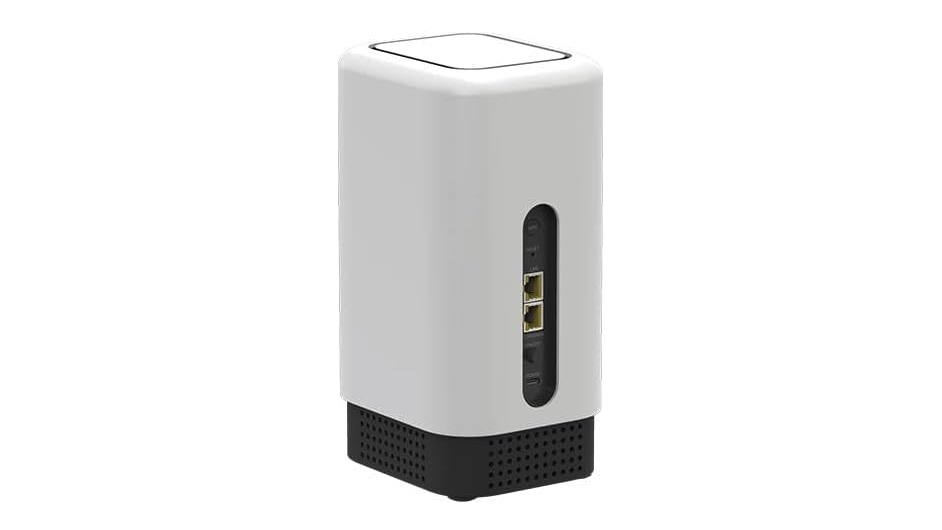
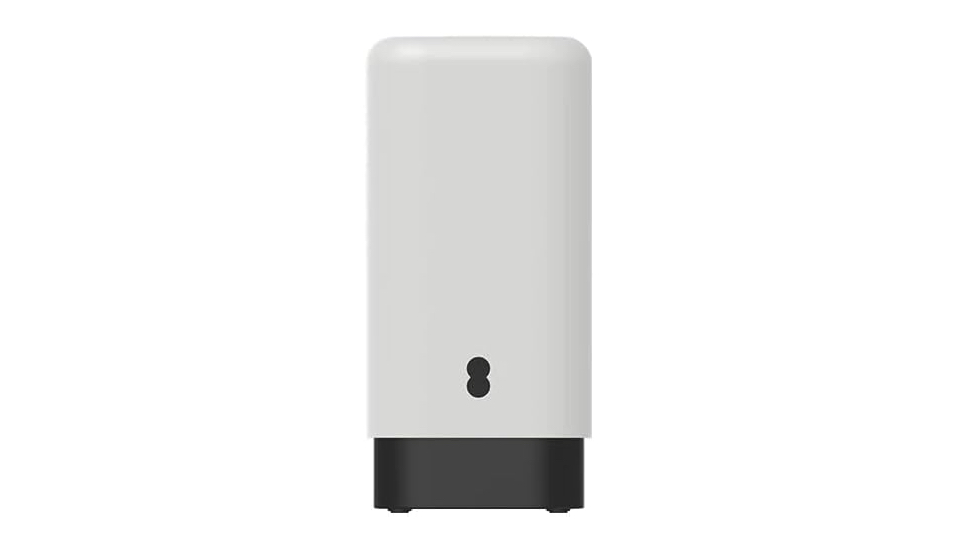
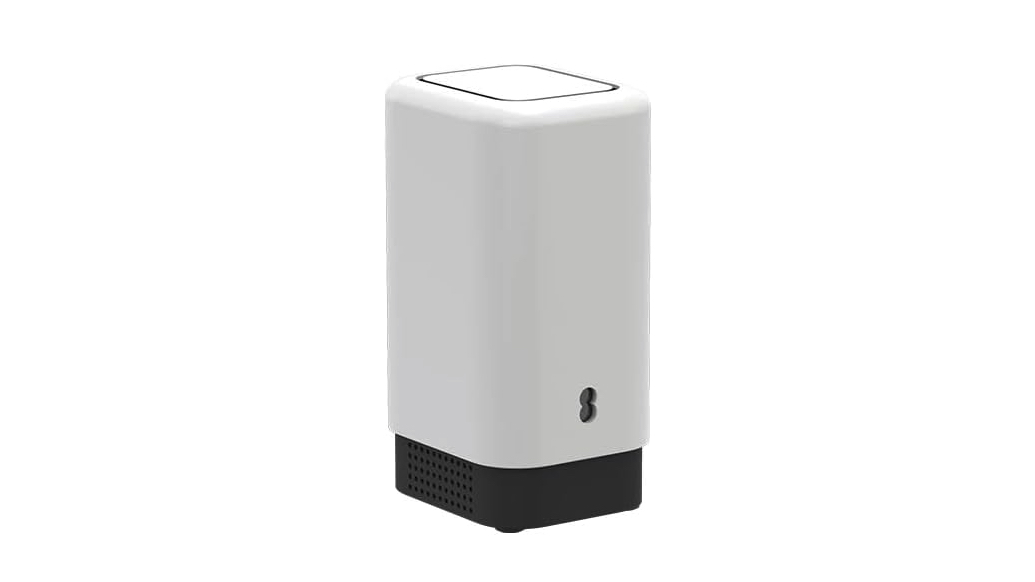
Router design is rarely exciting and the EE Smart 5G Hub 7 Pro is no exception, with this sporting a plain, forgettable design.
This tall, rectangular box has a mostly white body with a black section at the bottom and a black cut-out around the middle, so you at least get an appealing contrast with the light and dark. Still, it’s hard to feel this stands out any more than the Vodafone 5G Broadband Hub, or the Three 5G Hub.
Of course, you might not want your router to stand out, and the design here is subtle enough that it should still fade into the background of most rooms.
One thing to be aware of with the design though is that at 227 x 133 x 131mm it’s quite large, and in particular quite tall. Height probably won’t be as much of a potential issue as having a large base, but it’s just something to note, and may affect placement.
Setup
Getting the EE Smart 5G Hub 7 Pro set up is no problem at all. Just wait for it to be delivered then plug it in, switch it on, and you’re basically good to go.
There will of course be settings you might want to change, such as the router password, but there’s a quick start guide to help you out, and in terms of just getting the internet up and running this is designed as a plug and play device.
This is true of all 5G routers, so it’s not a selling point specific to the EE Smart 5G Hub 7 Pro, but it does give it the edge over fibre broadband, which typically involves an engineer visit.
Unlike some fibre plans, there’s also no need for you to have a landline, which not only simplifies the setup process, it also means you can cut your costs by getting rid of yours – if you don’t use it.
And given the simple setup process, the EE Smart 5G Hub 7 Pro is also easy to rehome if you move house, or you could even potentially take it with you on holiday.
Performance and speeds
The EE Smart 5G Hub 7 Pro boasts average download speeds of 146Mbps according to EE. That’s broadly in line with the average 5G speeds you can expect on its network when using a phone too, unsurprisingly.
Third-party tests of EE’s network (using smartphones) are broadly in agreement as well. For example, a January 2026 report from Opensignal found that EE’s average 5G download speed was 92.2Mbps, while RootMetrics in 2026 found that EE’s median 5G download speed was 230.8Mbps.
What does that mean in real terms? It means this thing is fast. Many fibre broadband plans average under 100Mbps while still providing speedy connections, so 146Mbps should be more than all but the most demanding users will need.
And remember – that’s just the average. While it could sometimes therefore be slower, it could also be faster.
Features and software
The features offered by the EE Smart 5G Hub 7 Pro are fairly standard but also mostly good. For one thing, it can get over 100 devices online simultaneously, which is actually more than the 64 that many routers allow. If you think about how many internet-connected devices you have in your home, chances are the number is well below that. Then consider that they’re probably not all on at the same time. So 100+ should be plenty for almost anyone.
The EE Smart 5G Hub 7 Pro also supports Wi-Fi 7, and there are two Ethernet ports as well, allowing you to provide a wired connection to a couple of devices. Two such ports isn’t very many, with some routers having four, so that – along with the lack of external antenna ports – is the only slight let-down here, but most people probably prefer sticking with wireless connections anyway.
Plus, the EE Smart 5G Hub 7 Pro is also a tri-band device, letting you use the 2.4GHz, 5GHz, and 6GHz bands simultaneously, while many alternatives are just dual-band. Access to the 6GHz band should improve its performance, and make it ideal for busy, tech-packed homes.
Alternatives
The main rival devices to the EE Smart 5G Hub are the Three 5G Hub and the Vodafone 5G Broadband Hub.
The Vodafone 5G Broadband Hub is a rebranded Greenpacket E5-250MA, offering peak download speeds of 3Gbps (but average ones that are more in line with EE’s option), and also having two Ethernet ports as well as antenna ports, the latter of which EE’s device lacks. It can’t get quite as many devices online though, topping out at 64.
Vodafone 5G Broadband

Vodafone 5G Broadband
Vodafone 5G Broadband
The Three 5G Hub is again similar, with maximum download speeds of 3.8Gbps, up to 64 connections, two Ethernet ports, and no external antenna ports.
Three 5G Broadband


Three 5G Broadband
Three 5G Broadband
There are a few other options you might be considering though. If you’re set on EE then there’s also the EE Smart 5G Hub 7 Plus. This is a dual-band rather than tri-band device but is otherwise near-identical. You can see a full rundown of their differences in our EE Smart 5G Hub 7 Pro and 7 Plus comparison guide.
EE Smart 5G Hub Plus

EE Smart 5G Hub Plus
And there's the EE 5G WiFi, but this is a battery-powered device that’s designed to be carried around with you, so we can’t really recommend it for home broadband.
Then there’s conventional broadband, such as a fibre connection. How good that is really depends on what options are available in your home. If you’re lucky enough to be able to get the top speed plans, then you could be looking at average speeds of around 2Gbps.
This leaves the EE Smart 5G Hub 7 Pro (and all other 5G routers) in the dust, but most homes can’t get this, and you’ll often have to pay a lot for the privilege. Those sorts of speeds are also overkill for most people, so consider whether you’d even need them.
There’s a high chance though that you only have slower plans available to you, such as BT’s Fibre 2 plan, which offers 67Mbps speeds – in other words some way short of what the EE Smart 5G Hub 7 Pro is capable of.
Assuming you do go for a 5G home broadband device, it’s also worth noting that performance will vary based on the network you’re on, not just the router hardware. On that front, EE has been found to be middling to high in recent tests from the likes of Opensignal and Rootmetrics — sometimes coming out on top but in other cases being beaten by Three and/or Vodafone.
Plans
At the time of writing, the EE Smart 5G Hub 7 Pro is only available on a plan that costs £55 per month and £100 upfront for unlimited data, on an 18-month contract.
It’s worth noting that Three and Vodafone charge considerably less for their 5G router plans, so they could be worth considering instead.
That said, this could be worth it if you get better 5G coverage from EE in your home.
Conclusion
The EE Smart 5G Hub 7 Pro is one of the best 5G routers available on a UK network at the time of writing, so on that basis it comes highly recommended. But it’s also not much different to its main rivals.
The actual plans it’s available on are on the pricey side, but are still just about competitive, and EE’s 5G coverage is widespread, so there’s a fair chance you’ll be able to get it in your home.
Pricing aside we have a few niggles with this, such as there only being two Ethernet ports and no external antenna ports, but overall the EE Smart 5G Hub 7 Pro is a top device.
EE Smart 5G Hub Pro
Specifications
Dimensions (mm): 227 x 133 x 131
Modem: 5G
Colours: White
Ethernet ports: 2
Download speeds: Averages 146Mbps
Wi-Fi specs: Tri-band 4 x 4 x 4 MLO (2.4GHz, 5GHz, and 6GHz), Wi-Fi 7
External antenna: N/A
Power: Mains powered
Launch date: Out now

Vodafone is giving new customers a £100 bill credit as a thank you for switching
Vodafone is rewarding new customers with a £100 bill credit on 24-month SIM Only...